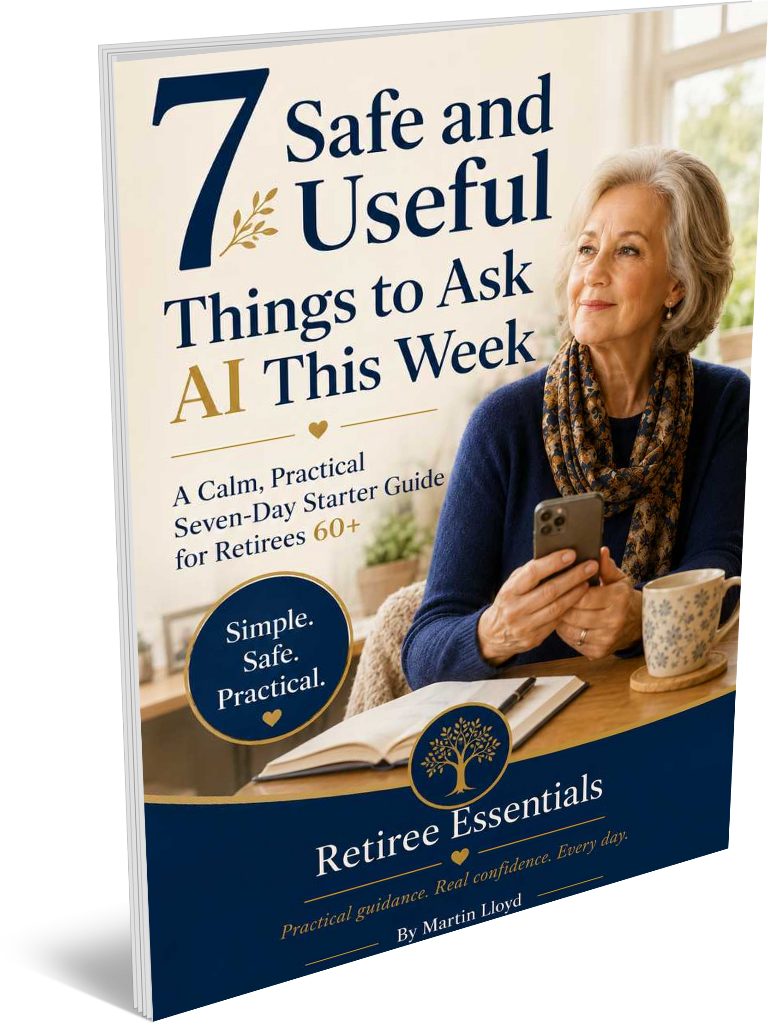

7 Safe and Useful Ways Retirees Can Start Using AI This Week
AI often looks far more complicated from the outside than it feels once you actually use it.
For many retirees, the hard part isn’t understanding artificial intelligence. It is knowing what to ask first.
Opening ChatGPT, Claude or Gemini and seeing an empty box can create an odd sort of pressure. You may have heard that AI can write reports, analyse information, create images, plan holidays and answer almost anything. Yet none of that tells you what would be genuinely useful on an ordinary Tuesday afternoon.
A better starting point is much smaller.
Ask AI one ordinary question about something you already understand. See what comes back. Decide whether the answer helped. Then ask another question.
That approach sits at the heart of 7 Safe and Useful Things to Ask AI This Week, which is designed around short activities that can be completed in roughly five or ten minutes rather than lengthy lessons or technical explanations.
The seven examples below are useful in their own right, but they also demonstrate something more important: you do not need to learn AI before you can benefit from it. You can learn AI by using it for small, familiar tasks.
Before asking AI anything, learn one safety habit
Before considering what AI can do, it helps to establish what it should never receive.
Do not enter passwords, banking PINs, full card or bank details, one-time security codes, NHS numbers, passport numbers, driving licence numbers, your full home address or private information belonging to somebody else.
That rule matters because beginners can easily mistake a conversational interface for a private adviser.
It is not.
An AI assistant may feel conversational because you type a question and receive a natural-sounding reply. However, the sensible habit is to give it only the information required to complete the task.
Suppose you receive a council letter containing a paragraph you do not understand. You probably do not need to paste the entire letter into AI. Remove your name, address, account numbers and reference numbers, then copy only the sentence or paragraph you want explained. That is both safer and usually more effective.
There is an equally important second rule.
If a message, pop-up, telephone caller or AI response asks for money, passwords, security codes or remote access to your computer, stop. Do not click or reply. Verify what is happening independently, using the organisation’s official telephone number or website. The guide summarises this as:
STOP / CHECK / VERIFY.
That three-part habit is worth remembering long after you have forgotten any individual AI prompt.
1. Use AI to turn complicated wording into plain English
One of the most immediately useful things AI can do is explain awkward language.
Official letters, appliance instructions, websites, insurance documents and emails sometimes contain sentences that seem written for the benefit of the organisation rather than the reader.
You can ask:
“Please explain the following text in plain English. Keep your explanation short and avoid technical language: [paste the text here].”
The guide suggests using this for confusing paragraphs from letters, household instructions, technical terms, council notices, websites and unfamiliar phrases in emails.
But the real value comes next.
Do not treat the first AI answer as the end of the conversation.
Ask:
“What is the main point I need to understand?”
Or:
“What questions should I ask the organisation that sent this?”
That changes AI from a dictionary into something closer to a thinking aid.
Imagine a pension provider sends you a six-paragraph letter containing one sentence you cannot make sense of. Instead of asking AI to interpret your whole financial position, you could remove all identifying information and ask it to explain that sentence in ordinary English.
You still verify anything that affects your pension or money with the provider or another appropriate official source.
The distinction matters.
AI can help you understand the wording. It should not decide for you.
2. Let AI create the first draft of a message, but make the final message yours
Sometimes writing a message takes far longer than it should.
You know what you want to say, but the first sentence will not come.
AI is particularly useful here because the task does not require it to know everything. You are simply asking for a starting point.
The guide offers an example such as:
“Write a warm, short message to [name]. We haven’t spoken in [length of time]. We used to [shared activity or memory]. Keep it friendly and natural.”
You could adapt the idea for a thank-you note, birthday message, invitation, polite complaint, note to a neighbour, email reply or family update.
The important part comes after AI produces the draft.
Add something it could never know.
Perhaps:
“I walked past the café where we used to meet and thought of you.”
That small detail changes a competent generic message into something personal. The guide makes this distinction precisely: AI can provide the draft, but your own memory and detail make it your message.
This is a useful principle well beyond messages.
Use AI for the difficult first 60%. Use your judgement, personality and knowledge for the part that makes the result worth keeping.
3. Ask AI what you can cook with what is already in the kitchen
Not every useful application of AI needs to feel important.
Sometimes the best use is simply eliminating the question:
“What shall we have tonight?”
You might type:
“Suggest three simple evening meals using these ingredients: eggs, potatoes, tomatoes, frozen peas and cheddar cheese. Keep the recipes suitable for two people.”
The guide recommends this approach to use ingredients you already have, reduce waste, and generate meal ideas without a separate planning exercise.
AI becomes particularly useful when you add restrictions.
You can say:
“Keep each meal under 30 minutes.”
“Avoid spicy food.”
“Use only one saucepan.”
“Keep the ingredients inexpensive.”
“Give me clear step-by-step instructions.”
Notice what is happening.
You are not learning how to write clever prompts. You are simply explaining what you want more clearly.
That is one of the biggest lessons for anyone starting with AI.
The quality of the answer often improves when you tell the system about your practical constraints.
Instead of:
“Give me a dinner idea.”
Try:
“Give me three inexpensive dinners for two people using potatoes, eggs and frozen vegetables. Nothing spicy, and each meal should take less than 30 minutes.”
The second request gives AI something useful to work with.
There is one sensible boundary here. AI does not know your complete medical history, so check specialist dietary or medical decisions with an appropriate health professional rather than leaving them to an AI response.
4. Prepare better questions before an appointment
This may be one of the most valuable uses of AI, precisely because you’re not asking it to diagnose anything.
Appointments can be surprisingly difficult to prepare for.
You may have several things you want to mention, then forget one the moment you sit down. Or you may know what concerns you but struggle to put it into a useful question.
The guide recommends asking AI to help you prepare a short list of questions about a general topic, while explicitly telling it not to diagnose.
For example:
“Help me prepare six questions for a GP appointment about ongoing knee stiffness. Do not diagnose anything.”
AI can help you organise questions, arrange symptoms into a simple timeline, explain an unfamiliar term, create a list of information to take with you, remind you to ask about side effects or prepare a brief note you can read during the appointment.
What should it not do?
Diagnose you.
Tell you to stop medication.
Decide that a symptom is harmless.
Replace professional advice.
Handle an emergency.
That boundary gives us a useful way to think about AI generally.
Ask AI to help you prepare, not decide
There is a substantial difference between these two questions:
“Why am I having knee pain?”
and:
“What six questions might be useful to ask my GP about ongoing knee stiffness?”
The second keeps the important judgement where it belongs, with you and the qualified professional, while still allowing AI to make the appointment more productive.

5. Turn a vague interest into a manageable hobby project
Retirement can give many people something they spent decades wishing for: time.
Yet more time doesn’t automatically make it easy to start something new.
You may think:
“I’d like to get back into photography.”
“I really should sort out the family history.”
“I’ve always fancied learning Italian.”
But these remain intentions until something converts them into a small first action.
AI can help with that conversion.
The guide suggests telling AI the hobby, your experience level and approximately how much time you want to spend on it, then asking for several small projects. It gives examples ranging from gardening, photography and family history to birdwatching, woodwork, creative writing and language learning.
If you enjoy gardening, for instance, you could ask:
“Give me five simple gardening projects I could complete over the next month. I am a beginner, I have a small garden, and I want to spend about two hours a week.”
Then continue:
“Which should I try first?”
“What materials will I need?”
“Turn it into four weekly steps.”
“Explain the first step as though I have never done it before.”
The guide identifies this as one of AI’s particularly useful abilities: slowing a task down, simplifying it and breaking it into smaller steps.
That may sound modest, but it solves a very real problem.
Most abandoned projects do not fail because somebody lacked interest. They fail because “learn photography” or “research the family tree” feels too big to start comfortably.
AI is often most useful when it turns an ambition into Tuesday afternoon’s next step.
6. Use AI to sketch out a day trip, then check the details yourself
Planning a day out is another good example of the difference between brainstorming and verification.
AI can be excellent at the first.
You could ask:
“Suggest a relaxed day out near Coventry for someone aged 68 who enjoys gardens, history and a quiet lunch. Avoid a rushed schedule.”
The guide recommends adding practical preferences such as minimal walking, seating, wet-weather alternatives, public transport, modest costs, suitability for grandchildren, or a quiet lunch spot.
That can turn a broad request into a plan that actually resembles the day you want to have.
But opening times change.
Ticket prices change.
Trains are delayed.
Attractions close temporarily.
Accessibility arrangements vary.
For that reason, the guide specifically recommends confirming opening hours, admission charges, parking, public transport, accessibility, booking requirements, weather and temporary closures before travelling.
This provides another valuable AI habit:
Use AI to generate possibilities. Use current official sources to confirm reality.
Once you make that distinction, you can benefit from AI’s speed without assuming that every detail it provides must be correct.
7. Use AI to help preserve family stories before they disappear
Of the seven examples, this may eventually prove the most valuable.
Families contain enormous amounts of history that exist nowhere except in somebody’s memory.
A childhood home.
A first job.
National Service.
The factory where a parent worked.
How two people met.
The family holiday everybody still mentions.
A grandparent’s expressions, habits and little stories.
AI cannot supply those memories. But it can help draw them out.
The guide suggests asking:
“Give me ten gentle questions to help me record memories about [person, place or period]. Keep the questions warm, specific and easy to answer.”
Imagine asking your mother about growing up in Glasgow during the 1940s.
Instead of saying, “Tell me about your childhood,” you could use AI to create prompts about school mornings, favourite foods, neighbours, shops, music, winter weather, family routines and special occasions.
Those narrower questions often unlock details that a broad question does not.
Afterwards, you can turn your notes into a readable first draft, but with an important instruction:
Keep all facts exactly as written. Do not invent anything.
Then read the result carefully and correct anything that feels inaccurate or unlike the person whose story you are preserving.
Again, AI’s role is to support, not replace.
The memories are yours.
The facts are yours.
The judgement is yours.
AI helps organise them.
And keep private family information private. Leave out full birth dates, account information, passwords, private medical details, and anything another family member would not want shared.
The most useful AI skill is not “prompt engineering”
Often, beginners are made to feel that using AI requires learning elaborate formulas.
It usually does not.
The guide’s advice for improving answers is refreshingly practical.
Be specific.
Explain who the answer is for.
Ask for plain English.
Ask follow-up questions.
Use your own judgement.
Compare these two requests:
“Give me gardening ideas.”
and:
“Give me five inexpensive gardening projects for a complete beginner with a small patio.”
No special terminology is required.
The second contains information that helps AI understand what a useful answer looks like.
The same applies when an answer is too complicated.
Say:
“Explain that for a complete beginner.”
“Keep it short.”
“Give me one step at a time.”
“Give me an example.”
“What should I do first?”
“Turn that into a checklist.”
“What might I have overlooked?”
That last question is particularly useful.
AI becomes much more valuable once you stop treating each answer as final and start treating the exchange as a conversation you can refine.
The safety question to ask before acting on an AI answer
There is one uncomfortable feature of AI that every beginner should understand early.
It can sound confident even when it is wrong.
The guide therefore recommends treating AI responses as suggestions and starting points, not automatic facts.
Before acting, ask yourself:
Have I removed private information?
Does this affect my health, money or legal rights?
Does the answer need checking?
Can I confirm it through an official source?
Is anybody creating urgency or asking for money?
Would I feel comfortable showing this to somebody I trust?
Those questions are more valuable than memorising dozens of complicated AI rules.
They allow you to use the technology without surrendering judgement to it.
You do not need to complete all seven
The guide includes a final idea that is easy to overlook.
You do not need seven successful experiments.
One useful result counts as progress. Three useful results make an excellent week.
That is probably the right way to approach AI if you have spent most of your life without it.
Don’t try to understand the entire technology.
Do not sign up for ten different tools.
Do not spend an afternoon studying complicated prompts.
Choose one ordinary task.
Perhaps you have a paragraph in a letter you would like explained.
Perhaps there is an old friend you have been meaning to contact.
Perhaps tonight’s dinner ingredients are already sitting in the fridge.
Perhaps you have a medical appointment next week and want to remember your questions.
Perhaps there is a family story that deserves to be remembered by writing it down.
Start there.
The point is not to become “good at AI”.
The point is to discover one moment when AI saves you time, makes something clearer, helps you organise your thoughts or encourages you to do something you had been putting off.
The guide puts it neatly: AI can begin with ordinary, useful questions, and confidence grows by starting rather than waiting until you feel completely ready.
That is a far more useful first week with AI than trying to master everything at once.
You can download your free copy of 7 Safe and Useful Ways Retirees Can Start Using AI This Week by clicking the following link or the image of the book cover.
https://martinllyd.gumroad.com/l/wgqda